


Black Swan inspired, 11 awesome portraits and artworks.
I think most of us know about Black Swan movie. But those who don't know:
This movie rate 8.2/10 on IMDB rating and that's very cool. But the cooler is when artists takes inspiration from this movie and create something more awesome, and that's why in today's post I'm going to show some of the very beautiful black swan portraits and artworks on web. Enjoy and don't forget to share.
Black Swan by ~iyesmoke:

From IMDB: "A ballet dancer wins the lead in "Swan Lake" and is perfect for the role of the delicate White Swan - Princess Odette - but slowly loses her mind as she becomes more and more like Odile, the Black Swan."
This movie rate 8.2/10 on IMDB rating and that's very cool. But the cooler is when artists takes inspiration from this movie and create something more awesome, and that's why in today's post I'm going to show some of the very beautiful black swan portraits and artworks on web. Enjoy and don't forget to share.
Black Swan by ~iyesmoke:


Create an eye-catching illustration with Gimp brushes.
I love Gimp. And that's why I keep finding awesome methods to do some thing out of the league. In today's tutorial I am going to introduce a newest discovery of mine. This is a cool method to create beautiful digital artwork using only brushes. Yes only brushes, no stock photo or anything simply brushes. But believe me the final result will be simply outstanding. So let's get started,


Cartoonify any image better than any available plugins in 5 steps with Gimp.
I know there are many plugins/scripts available out there for gimp to Cartoonify any image. But I never got a satisfying result from any of those plugins. Today I'm going to introduce you with a small but effective method for Cartoonifying any image without any famous gimp plugins.
Resources--
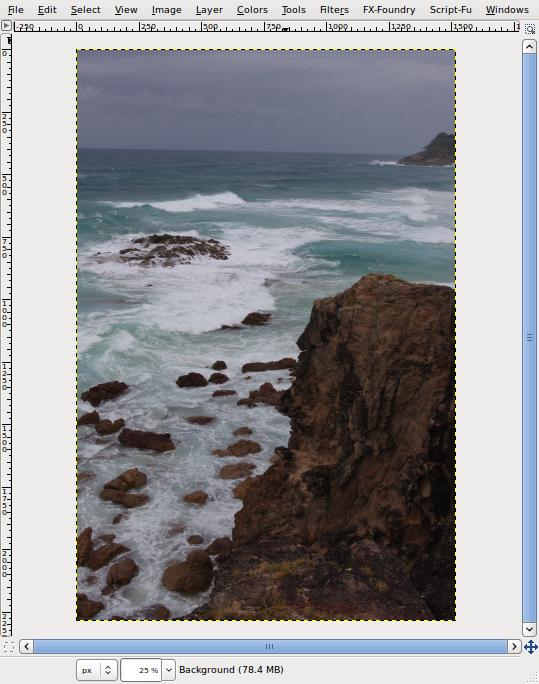
Step 1: Load your picture in Gimp.

Resources--
- An Picture (of your choice)
- Gimp Fx-Foundry
- And Gimp-G'Mic
Step 1: Load your picture in Gimp.
How to Create the Castle in the Sky Artwork with Gimp.
I love fantasy artwork of all kind. Now as I have very limited traditional art skills I prefer fulfilling my urges for creating fantasy art using Photo-Manipulation. In the huge world of fantasy there is a very significant and important topic which is The Castle in the sky. Different people imagine it in different ways, but all of them want to show the same thing.
So in today's tutorial we are going to create an awesome castle in the sky artwork using some stock images I mouse-picked from deviantart.com and our own image manipulation program GIMP. Resources I used in this tutorial are enlisted below..
An this is the Final Result you will get if you'll go with the instructions.

Fascinating Right?? So Let's Make It.
Gimp Tutorial: Turn a Boring Image Into something Appealing in 10 steps.
I Like Playing with Gimp Plugins and scripts specially with G'mic and x-Foundry. In this tutorial we are going to manipulate a dull and unexciting image into something awesome. To accomplish this task we need following requirements to be fulfilled.
Following figure shows the image before and after the whole process we are going to follow.

- I'm using this cool picture by xxxkurotsukikoxxx from deviantart. You can use any Image (could be any photograph which u think is not very appealing)
- Gimp 2.6 or better.
- Gimp Plugin Registry [Google it PLZ](best way to learn is to try by yourself,I did the same)
- Fx-Foundry[Google it too]
- Gimp-Gmic[Google Again]
Following figure shows the image before and after the whole process we are going to follow.


