


10 Most awesome Tech Brushes for Gimp and Photoshop.
Want to create a futuristic movie poster or a sci-fi movie scene. Well than you'll need some cool sci-fi and tech brushes to accomplish this task. Today I'm going to enlist some of the best tech and sci-fi brushes available. So explore the list below to acquire the brush of your choice.
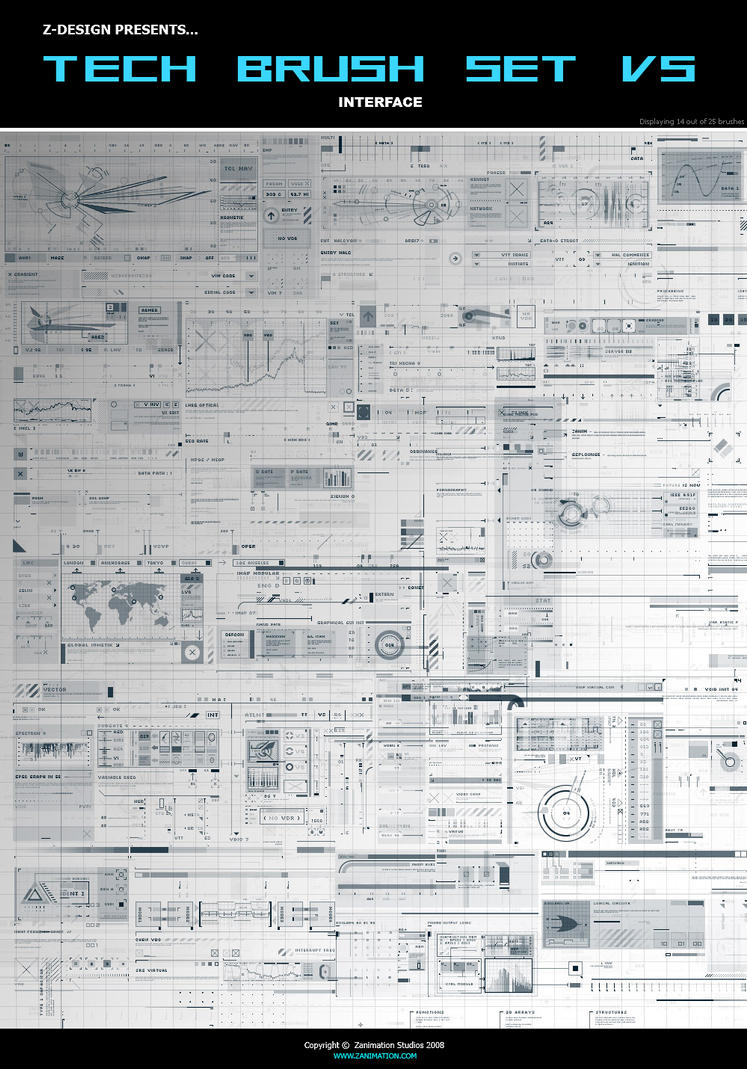
Z-Design Tech Brushes Set-5: These brushes are so awesome. According to one critic review " This tech / interface brush set is what I would call the best tech brush set on the entire internet. The set brings forth both inspiration and endless tech/sci-fi uses.". Download

Z-Design Tech Brushes Set-5: These brushes are so awesome. According to one critic review " This tech / interface brush set is what I would call the best tech brush set on the entire internet. The set brings forth both inspiration and endless tech/sci-fi uses.". Download

Create awesome typography portrait in just 5 steps with Gimp.
Now a days there's a boom in artistic, sophisticated and outstanding portraits and profile pictures. Every one is showing of his artistic talent in their portraits. But as a beginner it is kind of hard task to create and establish your own style so early. But this does not mean that you can not stand shoulder by shoulder with those people. Actually with a little inspiration+imagination you can create something heavy to ignore even by the great artists. But to do this first you need to get your basics rock solid so that you can have a firm base when you move further. So in today's tutorial I'm going to introduce you with a very basic but important technique to create typographic portrait or other artworks. You can learn more about typography HERE.
So let's get started with this tutorial but first a look at the result that we are going to achieve with this process.

So let's get started with this tutorial but first a look at the result that we are going to achieve with this process.

Easiest way to create Instant Sketch with Gimp.
Even though there's a load of ways to create sketches in Gimp but the plugin that i'm going to discuss with you is special cause it not just provide you with the most realistic result but it is easiest to use too.
This plugin is provided by Fx-foundry plugin set which you can download with the help of This Tutorial.
Now let's check out this plugin...
Resources:
Gimp 2.6 or better with Fx-Foundry installed. Check out THIS tutorial to learn the method to install the Fx-Foundry and other plugins in Gimp.
An image you want to convert to sketch.
Step 1: Load your image in Gimp.

This plugin is provided by Fx-foundry plugin set which you can download with the help of This Tutorial.
Now let's check out this plugin...
Resources:
Gimp 2.6 or better with Fx-Foundry installed. Check out THIS tutorial to learn the method to install the Fx-Foundry and other plugins in Gimp.
An image you want to convert to sketch.
Step 1: Load your image in Gimp.

Create realistic stickers out of any cutout images with Gimp.
Last night when I was shorting out my childhood memory box I found a bag of our(me and my younger brother) collection of anime stickers, tattoos, trump cards, and other stuff. From there I got this idea for creating a tutorial on Stickers. I don't know whether you will be able to stick them on your Fridge or Room wall but for your desktop, blog or website they can be a beautiful eye-candy. As it is a beginner level tutorial you don't need to have a great knowledge of Gimp functionality just basic computer handling knowledge and you are good to go. For learning there's a lot of things like Path Selection, Stroke Path, Grow Selection, So let's get started with our tutorial....
Some Examples of the results we can achieve...

Some Examples of the results we can achieve...

Easiest way to create realistic water drops in Gimp.
I can't believe that this technique was lying just under my nose and I was ignoring it for so long. Actually last night when I was trying to find out some new technique for my new tutorial I accidentally came across this plugin of Gimp Fx-Foundry which is basically related to Logo making but can be used some other places also as I know now. Name of this plugin is Liquid-Water Effect which falls under the Alpha to Logo category of Gimp Fx-Foundry. I won't talk too much about the history of this effect as believe on action that words but you can still check it out HERE. and download it from HERE.
So I think we should start with the tutorial, but first take look on the result we are about to achieve today...

So I think we should start with the tutorial, but first take look on the result we are about to achieve today...


